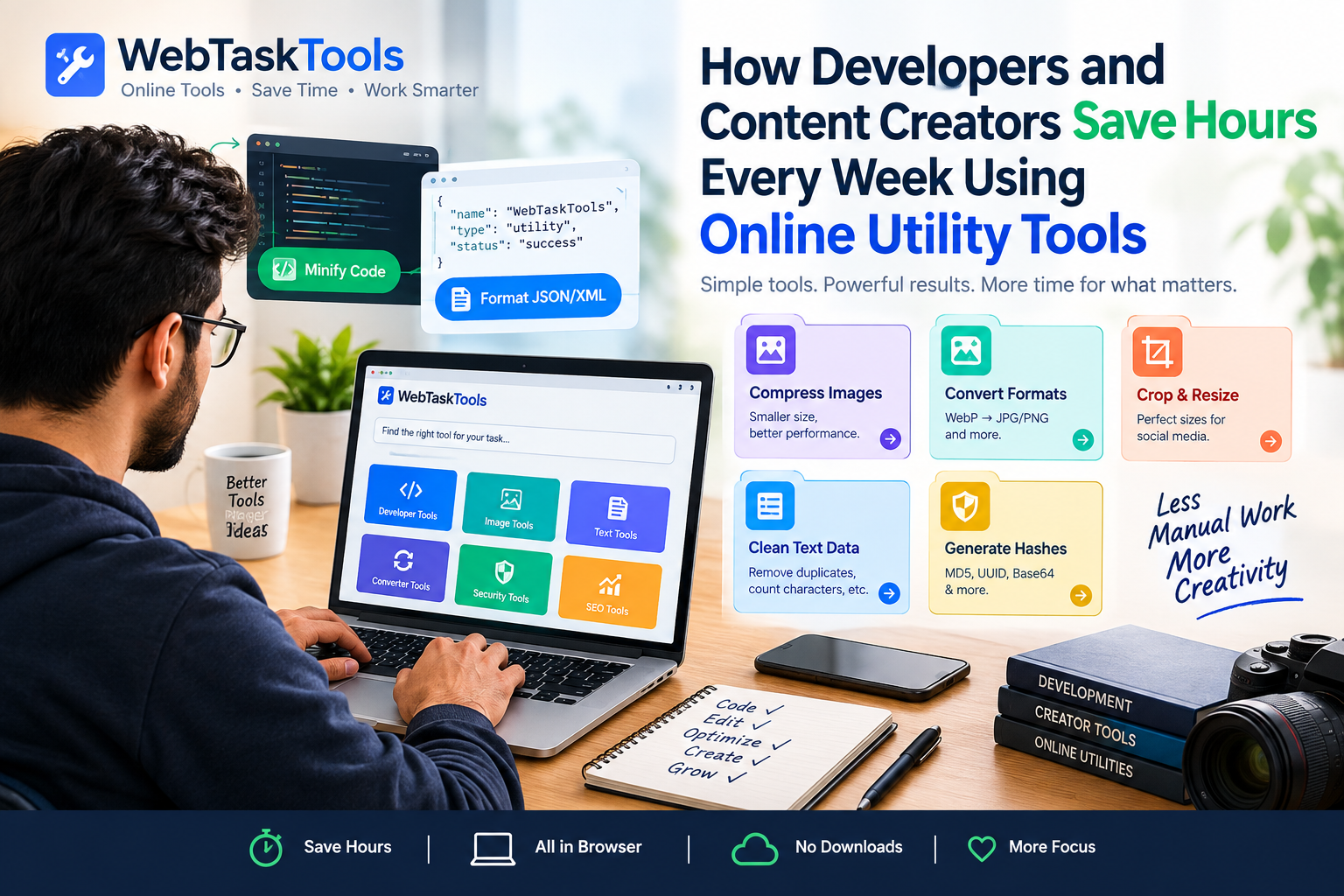
Learn how modern developers, designers, and creators leverage free online web tools and formatters to streamline workflows and boost efficiency.
How Developers and Content Creators Save Hours Every Week Using Online Utility Tools
In the fast-moving digital landscape, time is the ultimate currency. Whether you are debugging complex code late at night, formatting raw data fields, or optimizing images for a high-traffic web page, minor technical hurdles can constantly disrupt your "flow state."
Ship leaner pages today: the free CSS minifier cuts stylesheet weight instantly.
For years, professionals relied on scattered desktop applications or wrote custom scripts every time they needed to perform a quick task like converting a Base64 string, minifying JavaScript, or stripping duplicate lines from a text file.
Today, that approach is changing rapidly. Cloud-based utility platforms like WebTaskTools allow creators and developers to execute these micro-tasks instantly inside the browser.
Let's look at how modern professionals are utilizing online web tools to save hours of manual work every single week.
1. Eliminating Context Switching for Developers
For a developer, context switching is a major productivity killer. Moving away from your code editor, opening a heavy environment, or writing a temporary script just to validate a JSON payload breaks your concentration.
Online developer utilities change this dynamic completely:
- Instant JSON/XML Formatting: Instantly validate and beautify messy API responses without touching local config files.
- Code Minification: Shrink HTML, CSS, and JS assets on the fly before deployment.
- Hash & Token Generation: Create secure MD5 hashes, UUIDs, or encode strings in Base64 within milliseconds.
2. Streamlining Media Workflows for Creators
Content creators face a constant struggle with file sizes, formats, and platform restrictions. Uploading a massive uncompressed PNG image can ruin a website’s Core Web Vitals and SEO ranking.
Instead of installing heavy editing suites for basic tasks, creators use browser-based tools to:
- Compress high-resolution images instantly without losing visual quality.
- Convert modern image formats like WebP to standard JPG/PNG formats.
- Crop and resize assets precisely for social media banners and thumbnails.
3. Data Cleaning and Text Manipulation
Writers, marketers, and data analysts frequently deal with messy text data—removing duplicate lines, changing letter casing, counting characters for meta descriptions, or cleaning up scraped web content.
Having dedicated text utilities available in a single click means data processing takes seconds instead of minutes. Clean lists and precise character counts ensure accuracy across marketing campaigns and content publishing platforms.
Summary: Build Your Digital Shortcut Toolkit
Efficiency isn't just about working faster; it's about removing the repetitive friction points from your daily routine. By keeping a comprehensive, browser-based utility suite bookmarked, you keep your computer light, your workspace organized, and your mind focused on core creative and technical challenges.
Explore the powerful suite of utilities on WebTaskTools today, and discover how much faster your daily workflow can truly be!
Where the Hours Actually Go
For developers: minifying assets, validating API payloads, encoding tokens, generating test data, checking DNS and SSL — scattered across tools that each demand attention. For creators: compressing images, converting formats, counting characters, generating QR codes, merging PDFs — the production pipeline around the content. Neither group is slowed by the core craft; both lose time to the utility layer surrounding it. That layer is exactly what browser tools compress to minutes.
The Developer Workflow Stack
During coding: JSON validator open beside the editor; encoders/decoders for URLs, Base64, HTML entities; hash generators for checksums; UUID generators for IDs.
Before commit: minifiers for CSS/JS, formatters for readability, linters via validation.
Before deploy: DNS and SSL checks, broken-link thinking, meta tag verification.
After deploy: page checks — speed, mobile rendering, structured data.
The pattern: a small set of browser tools riding alongside the main work, consulted dozens of times daily. Each consultation is seconds; the alternative — terminal packages, IDE plugins, installed apps — carries setup and context-switch costs that multiply across a team.
The Creator Workflow Stack
Pre-production: research with keyword density checks, character counts for script limits, password generation for new accounts.
Production: image compression per asset, format conversion, QR codes for links shared offline.
Post-production: meta descriptions length-checked, thumbnails compressed, files merged into deliverables.
Illustrative Scenarios (Not Promises)
The scenarios below illustrate typical workflows, not guaranteed results — your savings depend on your tools, volume, and habits.
Scenario 1 — the frontend developer: previously installed a desktop app to minify assets and opened a separate program to validate API responses. Now: minifier and validator as pinned tabs. The per-deploy ritual drops from a multi-app juggling act to two tabs and a minute.
Scenario 2 — the content creator: previously exported images at full size and uploaded them raw, then wondered why pages loaded slowly. Now: compress-before-upload as muscle memory, thumbnails generated properly. Page weight drops dramatically with no visible quality change.
Scenario 3 — the freelancer: previously hunted bookmarks and free-trial signups for each client deliverable (merge this PDF, check those meta tags). Now: one organized toolkit, same tools for every client. The admin overhead around deliverables shrinks to a checklist.
Building Your Stack (One Afternoon)
- List your five most frequent utility jobs — the ones you do weekly.
- Find the browser tool for each — prefer no-signup, works-in-browser options.
- Test each on a real task — first urgent use should never be the first test.
- Bookmark and organize — one folder, clear names, synced across devices.
- Write the checklists — deploy, publish, deliver — with tool links embedded.
- Review quarterly — prune, replace, discover.
Team Multipliers
Standardize the stack across the team: same JSON validator, same minifier, same image settings. Onboarding shrinks — new hires get the bookmark folder, not a scavenger hunt. Output stays consistent — every asset compressed the same way, every deploy checked the same way. And the "which tool do you use for X?" threads disappear from chat, because the answer is documented once.
Avoiding the Traps
- Tool-hopping: trying every new utility instead of mastering five. Depth beats novelty.
- Desktop nostalgia: keeping a heavy app "just in case" that you open twice a year. Let it go.
- Skipping the checklist: the stack only saves time if the steps actually run. Checklists make it stick.
- Ignoring mobile: test core tools on a phone once — urgent fixes happen on mobile.
Frequently Asked Questions
Can browser tools handle professional workloads? For utility tasks — absolutely. They are purpose-built for exactly these jobs. Heavy creative work (video editing, design) still belongs in dedicated software.
What about privacy for client data? Prefer tools that process in your browser; sensitive files should never upload anywhere unnecessarily.
How do I convince my team? Show, do not tell: time one common workflow before and after, then share the checklist.
The craft is the work. Everything around the craft should take seconds — that is the whole philosophy.
The Economics for Freelancers
Freelancers bill for output, not effort — so utility friction is pure margin loss. Run the numbers honestly for one week: log every utility interruption and its duration. The total surprises most people, because each instance felt trivial. Then price the fix: an afternoon building the stack, free tools, zero ongoing cost. There is no business case easier to make than one where the investment is an afternoon and the return repeats weekly. It is the highest-ROI project on most freelancers’ task lists — and the one they keep postponing.
Deep Work Protection
The deeper benefit is not minutes but momentum. Every utility detour — hunting a tool, waiting on an install, fighting a signup wall — breaks the state of flow that produces the actual valuable work. Browser tools protect flow structurally: the detour is a tab, not a context switch. Developers call this "staying in the zone"; creators call it "staying in the groove." Same phenomenon, same protection. The stack is not about speed — it is about not breaking the thing that matters.
The Compound Skill: Tool Literacy
Beyond any specific tool, the meta-skill is tool literacy: the habit of asking "is there a lighter way?" before tolerating friction. People with this habit accumulate advantages quietly — every workflow gets slightly better, every quarter, forever. People without it accept whatever is slowest as "just how it is." The difference after five years is enormous and almost entirely attributable to this one question. Teach it to juniors early; it is the most transferable skill in the stack.
When to Upgrade Beyond Browser Tools
Honesty about limits: browser tools win for quick, occasional, single-purpose jobs. They lose for sustained heavy work — batch-processing thousands of images belongs in a script; editing video belongs in an editor; designing belongs in design software. The rule: if you do it daily for hours, invest in dedicated tooling; if you do it weekly for minutes, the browser tab wins. Misjudging either direction costs you — heavyweight tools for light jobs, or light tools for heavy jobs.
The Quarterly Stack Review
Fifteen minutes, four times a year: open the bookmark folder, remove what went unused, verify the core tools still behave (no new signup walls, no broken features), and scan the category hubs for tools matching new job types. Stacks decay — tools change, jobs change, and a stack nobody maintains becomes a junk drawer. The review is the entire maintenance burden. Put the next one on your calendar before you close this tab.
Getting Started Today
Do not build the whole stack now — build the starter five: a JSON validator (or character counter, by role), a minifier, an image compressor, a password generator, a QR code generator. Test each on a real task today. Add the rest as real jobs demand them. The stack grows from work, not from planning — and the first five take fifteen minutes. Your future self, mid-flow with a tab for everything, will not remember the afternoon you built it. That is the point.
Case Notes: What Changes in Practice
After the stack is built, the changes are subtle but pervasive: deploys stop getting delayed by asset chores; content ships with images already optimized; client deliverables assemble from a checklist instead of a scavenger hunt; the "quick question" pings about file conversions stop because everyone has the same bookmark folder. Nothing about the craft changed — the code is the code, the content is the content. What changed is that the utility layer stopped taxing both. That is what "saving hours" actually looks like: not a dramatic number, but a week with fewer interruptions and more finished work.
The Long View
Tools will keep evolving — new formats, new utilities, new best practices. The durable asset is not the bookmark list but the system: notice friction, find the lightest tool, test it once, checklist it, review quarterly. Build that system now and every future tool slots into place effortlessly. The developers and creators who seem effortlessly fast in five years will be the ones who built this system today — one fifteen-minute afternoon, compounded weekly, starting now.
One More Thing: Teach It Forward
The fastest way to cement your stack is to teach it: onboard a junior with your bookmark folder, demo the two-tab deploy ritual to a colleague, send a creator friend the compression checklist. Every explanation reveals the rough edges in your own setup — and teams that share a stack stop losing hours to the same small problems twice. The knowledge compounds socially, not just personally. Build it, use it, then give it away.
Open the first tab now. The hours you save this week will fund the stack review next quarter — and every quarter after.
Appendix: Role Starter Kits
Developer starter: JSON validator, CSS minifier, JS minifier, Base64 encoder, password generator.
Creator starter: image compressor, character counter, QR code generator, merge PDF, background remover.
Freelancer starter: merge PDF, password generator, image compressor, QR code generator, meta checker.
Five tools per role, fifteen minutes to set up — the rest grows from real work.
Pick your kit, open the tabs, and get back to the work that actually matters — the tools will handle the rest.
The stack is built one tab at a time — and the first tab is the only hard one.
Start small, stay consistent, and let the compound effect quietly do its work.



