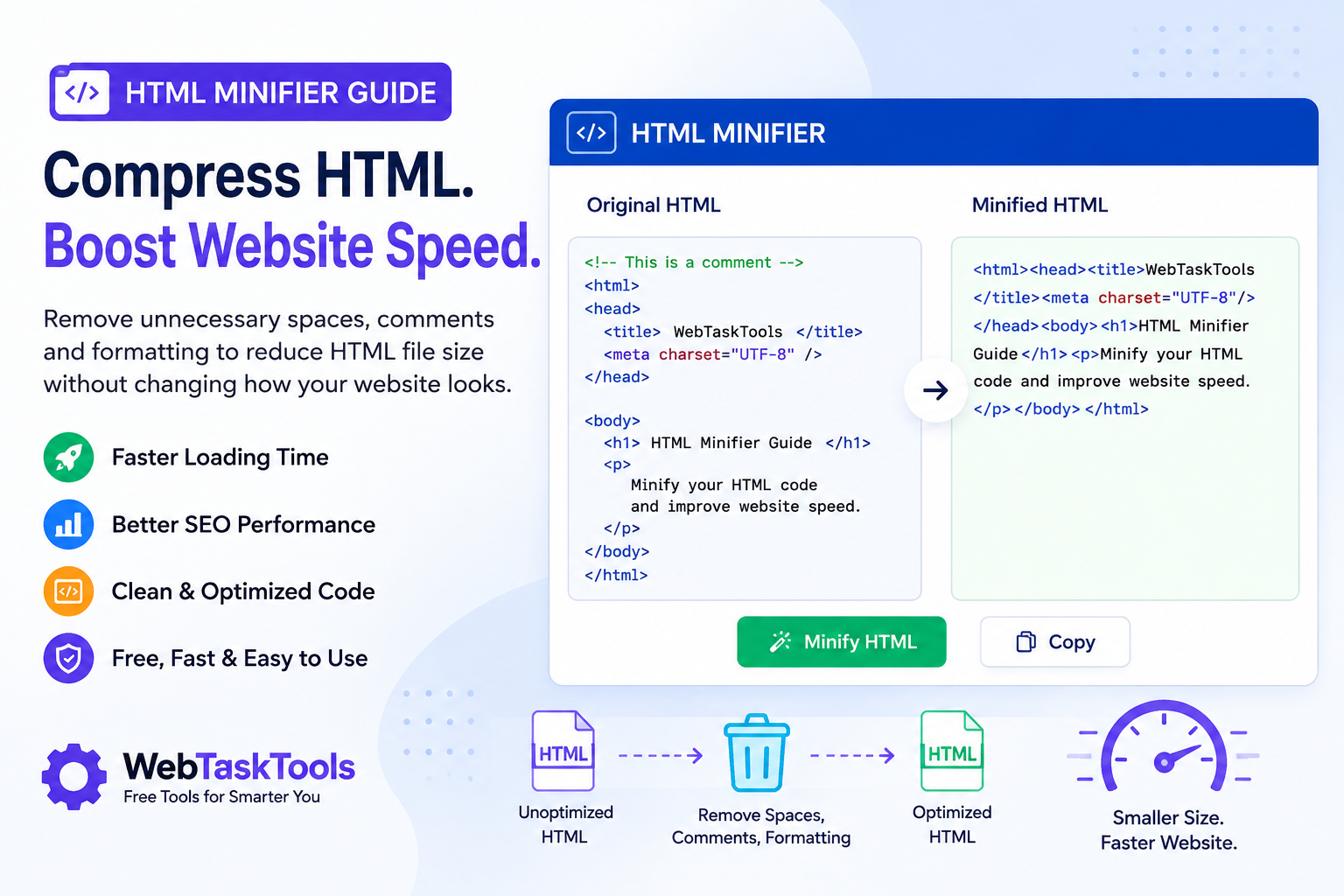
Learn how an HTML Minifier improves website speed and SEO. Compress HTML code online instantly with the free HTML Minifier from WebTaskTools.
Website speed is one of the most important factors for user experience and search engine optimization (SEO). Even a few extra seconds of loading time can increase bounce rates and reduce conversions.
Start here: the free HTML minifier trims your markup in one click — no signup.
One of the easiest ways to improve page speed is by minifying your HTML code. Removing unnecessary spaces, comments, and formatting reduces file size without changing how your website works.
In this guide, you'll learn what HTML minification is, why it matters, and how to use the free HTML Minifier by WebTaskTools to optimize your website in seconds.
What Is an HTML Minifier?
An HTML minifier is a tool that removes unnecessary characters from HTML files, including:
- Extra spaces
- Line breaks
- Tabs
- Comments
- Unused formatting
The browser doesn't need these characters to render a webpage, so removing them reduces file size while keeping the HTML fully functional.
Why Minify HTML?
HTML minification offers several benefits for website owners and developers.
Faster Page Load Times
Smaller HTML files load more quickly, especially on slower internet connections.
Better SEO Performance
Google considers page speed an important ranking signal. Faster websites often provide a better user experience, which can contribute to improved search visibility.
Lower Bandwidth Usage
Compressed HTML uses less bandwidth, making your website more efficient for both visitors and hosting providers.
Improved Core Web Vitals
Minifying HTML can help improve performance metrics such as:
- Largest Contentful Paint (LCP)
- First Contentful Paint (FCP)
- Time to First Byte (TTFB)
What Does an HTML Minifier Remove?
A quality HTML minifier removes unnecessary code while preserving your webpage's appearance.
It typically removes:
- HTML comments
- Empty lines
- Multiple spaces
- Tabs
- Line breaks
- Redundant whitespace
Your website looks exactly the same, but the underlying code becomes much smaller.
Who Should Use an HTML Minifier?
An HTML minifier is useful for:
- Web developers
- SEO professionals
- WordPress users
- Bloggers
- Digital marketers
- Shopify store owners
- Small businesses
- Agencies
Anyone managing a website can benefit from reducing HTML file size.
How to Minify HTML Online
Using an online HTML minifier is simple.
- Copy your HTML code.
- Open the HTML Minifier on WebTaskTools.
- Paste your code into the editor.
- Click Minify HTML.
- Copy the optimized HTML and use it on your website.
No software installation is required.
👉 Try the free HTML Minifier here: https://webtasktools.com/html-minifier/
Benefits of Using WebTaskTools HTML Minifier
The WebTaskTools HTML Minifier is designed to be fast, simple, and free.
Features include:
- Instant HTML compression
- Free for everyday use
- No registration required
- Works in any browser
- Safe processing
- Mobile-friendly interface
- Easy copy-and-paste workflow
Whether you're optimizing a landing page or an entire website, WebTaskTools helps you clean up HTML code in seconds.
HTML Minification Best Practices
To get the best results:
- Keep a backup of your original HTML.
- Test your pages after minifying.
- Minify CSS and JavaScript as well.
- Compress images for even better performance.
- Enable GZIP or Brotli compression on your server.
- Use browser caching where possible.
Combining these optimizations can significantly improve website speed.
HTML Minifier vs HTML Beautifier
An HTML minifier removes whitespace, compresses code, and reduces file size - it is optimized for production. An HTML beautifier does the opposite: it adds indentation and improves readability, which is optimized for editing.
Developers often beautify HTML while editing and minify it before publishing.
Frequently Asked Questions
Is HTML minification safe?
Yes. A reliable HTML minifier removes only unnecessary characters without affecting how your webpage displays.
Does HTML minification improve SEO?
Indirectly, yes. Faster websites provide a better user experience and can contribute to stronger SEO performance.
Can I minify HTML online for free?
Absolutely. You can use the free HTML Minifier from WebTaskTools without creating an account.
Will minifying HTML break my website?
A quality minifier preserves the functionality of valid HTML. Always test your pages after optimization.
Should I also minify CSS and JavaScript?
Yes. Minifying HTML, CSS, and JavaScript together provides the greatest performance improvements.
Final Thoughts
HTML minification is one of the easiest ways to make your website faster without changing its design or functionality. Smaller HTML files improve loading speed, reduce bandwidth usage, and contribute to a better user experience.
If you're looking for a fast, reliable, and free solution, use the HTML Minifier from WebTaskTools. In just a few clicks, you can compress your HTML code and optimize your website for better performance.
Visit the free HTML Minifier today to use it and discover more online tools for developers, marketers, designers, and website owners.
How Minification Actually Works
Minification is gloriously dumb — that is its virtue. It removes everything the browser does not need to render the page: whitespace between tags, line breaks, HTML comments, redundant attribute quotes where safe, and sometimes optional closing tags. It never changes what the page looks like or does; it only changes how many bytes describe it. A typical hand-written HTML file often shrinks on the order of 10-30% (a commonly cited range), and machine-generated markup with heavy indentation can shrink far more.
Minification vs. Compression: Do Both
Beginners confuse these; professionals stack them. Minification removes unnecessary characters from the source. Compression (Gzip, Brotli) then squeezes the remaining bytes during transfer. They multiply: minify first so the compressor has less to squeeze. Enabling Brotli or Gzip on your server is usually the single biggest byte-saver available — minification is the cherry on top. Do the server setting first if you have to choose.
What Gets Removed (and What Must Stay)
- Removed: indentation, blank lines, HTML comments, extra spaces between attributes.
- Sometimes removed: optional closing tags (</p>, </li>), quotes around simple attribute values — safe per spec, but some teams keep them for readability of the source.
- Never removed: anything inside <pre>, <textarea>, or <script>/<style> blocks handled by their own minifiers — whitespace there can be content.
- Watch out: conditional comments and IE-era hacks are obsolete; if your minifier strips them, that is a feature, not a bug.
Minify HTML, CSS, and JS Together
A page is three languages, and minifying only one leaves savings on the table. Run stylesheets through a CSS minifier and scripts through a JS minifier as part of the same routine. The combined effect on a typical content page is measured in hundreds of kilobytes — the difference between "loads instantly" and "loads eventually" on a mid-range phone.
Where Minification Fits in a Build Process
For hand-maintained sites, the workflow is: keep a readable source file, minify on deploy, never edit the minified output. For projects with build tools, minification plugins handle this automatically. The online minifier shines in the middle ground — quick fixes, static sites, email templates, and CMS custom-HTML blocks where setting up a build pipeline would be overkill. Paste, minify, paste back: thirty seconds.
Measuring the Impact
Do not guess — measure. Take the original file size, minify, note the new size, then check real page-load timing before and after (browser dev tools, throttled to a mid-range mobile connection). On small pages the gain is modest; on large, comment-heavy templates it is dramatic. Either way you now have a number, and optimization driven by numbers beats optimization driven by vibes.
Troubleshooting: When Minification Breaks Things
- Layout shifted: whitespace between inline elements is significant in HTML — a good minifier preserves single spaces where they matter; if yours does not, that is the bug to report.
- JavaScript errors after minifying inline scripts: minify scripts separately with a JS minifier instead of relying on the HTML pass.
- Template tags mangled: server-side template syntax ({{ }}, <% %>) can confuse naive minifiers — minify the rendered output, not the template.
- It "did nothing": already-minified files and tiny files have little to remove. Check the byte counts before assuming failure.
Minification and SEO
Search engines do not rank minified pages higher for being minified. The SEO benefit is entirely through speed: faster pages get crawled more efficiently, and page experience signals favor quick loads. Treat minification as hygiene — like brushing teeth, not like a growth hack. The sites that benefit most are the ones that were slowest to begin with.
Frequently Asked Questions
Is minified code still editable? Technically yes, practically no — keep the original source and treat minified output as disposable build artifact.
Does minification affect how the page looks? No. If anything looks different after minifying, the minifier has a bug — report it and revert.
Should I minify during development? No — develop readable, minify at deploy. Debugging minified code is a special kind of suffering.
Email Templates: Minification’s Secret Second Job
HTML email is a world of nested tables and inline styles where file size directly affects deliverability and rendering. Minifying email templates before sending — after testing, never before — trims the bloat that ESPs and clients choke on. The rule is stricter here than on the web: some email clients are whitespace-sensitive in surprising ways, so always send a test to yourself first. But for newsletters with heavy markup, the savings are real and the practice is standard among email developers.
The Psychology of a Fast Page
Speed is not just a metric; it is a feeling. Research consistently shows that users perceive fast sites as more trustworthy, more professional, and easier to use — independent of the actual content. A page that paints in under two seconds feels "well-made"; the same content at five seconds feels "sketchy." Minification cannot fix a fundamentally heavy page, but as part of a speed routine it contributes to the perception that your site respects the visitor’s time. And respect, on the web, converts.
The Pre-Deploy Minification Checklist
- Source backed up: the readable original is saved and versioned; the minified file is generated, never hand-edited.
- All three languages: HTML, CSS, and JS each minified with the right tool.
- Tested after minifying: click through the page — forms, menus, scripts — on the minified version, not just the source.
- Compression enabled: Gzip or Brotli active on the server, so minified bytes get squeezed in transit.
- Cache headers sane: minified assets fingerprinted or versioned so updates actually reach visitors.
What Minification Cannot Do
Honest boundaries: minification cannot fix unoptimized images (usually the biggest offender — compress those first), render-blocking resources, slow servers, or chatty third-party scripts. If your page loads 4 MB of images and 800 KB of tracking scripts, minifying 40 KB of HTML is rearranging deck chairs. Do the big wins first — images, then scripts, then server response — and let minification be the finishing pass that squeezes the last easy percentage.
A Realistic Speed Routine (in Order)
If you do nothing else from this guide, do things in this order: compress every image before upload; enable Gzip or Brotli on the server; minify HTML, CSS, and JS; defer non-critical scripts; then measure. Each step builds on the last, and minification sits exactly where it belongs — not first, not last, but as the reliable finishing pass in a routine that actually moves the numbers.
Minification Myths
- "It makes my site rank higher directly." No — the benefit flows through speed and user experience.
- "It protects my code from copying." Minified code is trivially re-formatted; it is not obfuscation or security.
- "One minifier fits all." HTML, CSS, and JS each need their own — a wrong-tool pass is how breakage happens.
- "Smaller is always better." Aggressive settings that break rendering are worse than no minification at all.
Minification will never be the exciting part of web development. It is the part that quietly makes everything else faster — and on the web, faster is a feature users feel in every click. Paste your markup into the minifier today and see the byte count drop — the fastest performance win you will get this week.
Make It Stick: The Minification Habit
Minification pays off when it is automatic, not occasional. Add it to your deploy checklist: minify HTML, CSS, and JavaScript before every release, verify the output renders correctly, and keep the unminified sources under version control. The whole ritual takes minutes and the savings repeat on every single page load, for every visitor, indefinitely. That is the quiet power of this technique — a one-time setup that keeps paying dividends long after you have forgotten it exists.
Start today: take your homepage markup, run it through the minifier, and compare the before and after. That number — the bytes saved, multiplied by every visitor, every page, every day — is the business case for the entire practice. Then automate it, checklist it, and get back to building. The fastest bytes are the ones you never ship.



